
FURNITURE WORKSHOPS / ORDER TO DELIVERY
WorkshopDesk / 02
Keep the promise connected
to the workshop.
Two orders need the same materials. Some pieces are ready; others are still on the floor. WorkshopDesk keeps specifications, stock, production and delivery in one connected story.
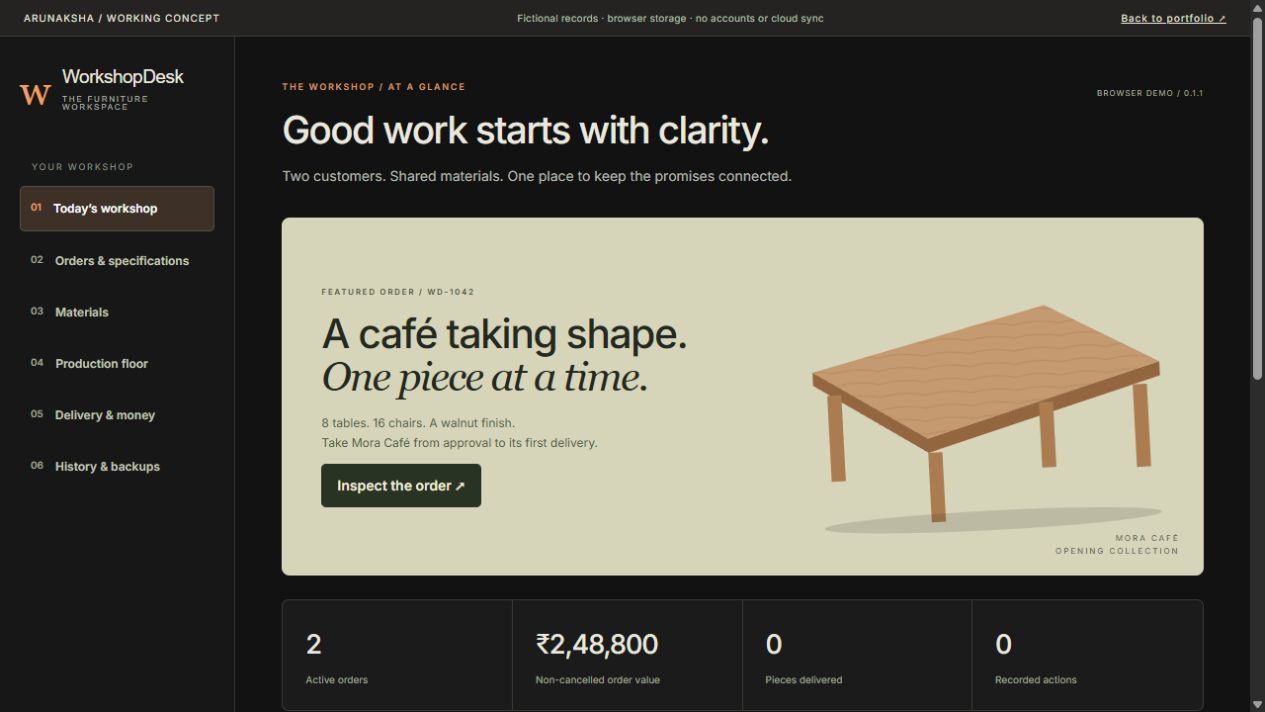
- THE WORK
- Workflow, interface & implementation
- THE USER
- One local operator
- THE PROOF
- Editable browser demonstration
- THE BOUNDARY
- Fictional records · Windows installer unverified
01 / THE OPERATING PROBLEM
An accepted order is a chain of decisions.
A furniture order is more than a sales total. The workshop needs to know which specification was approved, what material is reserved, which pieces are finished, what has left, and what is still due.
Designed to exploreA workshop owner who needs order promises, shared material availability, production quantities and collections to stay aligned.
The question
The record to inspect
Can two orders use the same stock?
Order-specific material reservations
Are these pieces ready or delivered?
Separate finished and dispatched quantities
Has the customer paid the balance?
Collections recorded independently
THE WORKFLOW / CONNECTED RECORDS
One action should explain the next.
- 01Approved specification
- 02Material reservation
- 03Production batch
- 04Partial dispatch
- 05Recorded collection
A reading map of the demonstration. Open the app to change sample records.
02 / THE VISUAL FEATURE TOUR
See the screen.
Inspect the decision.
Four parts of the workflow, shown with actual interface captures. Enlarge any screen, then follow the task inside the working demo.
01 / ORDERS & SPECIFICATIONS
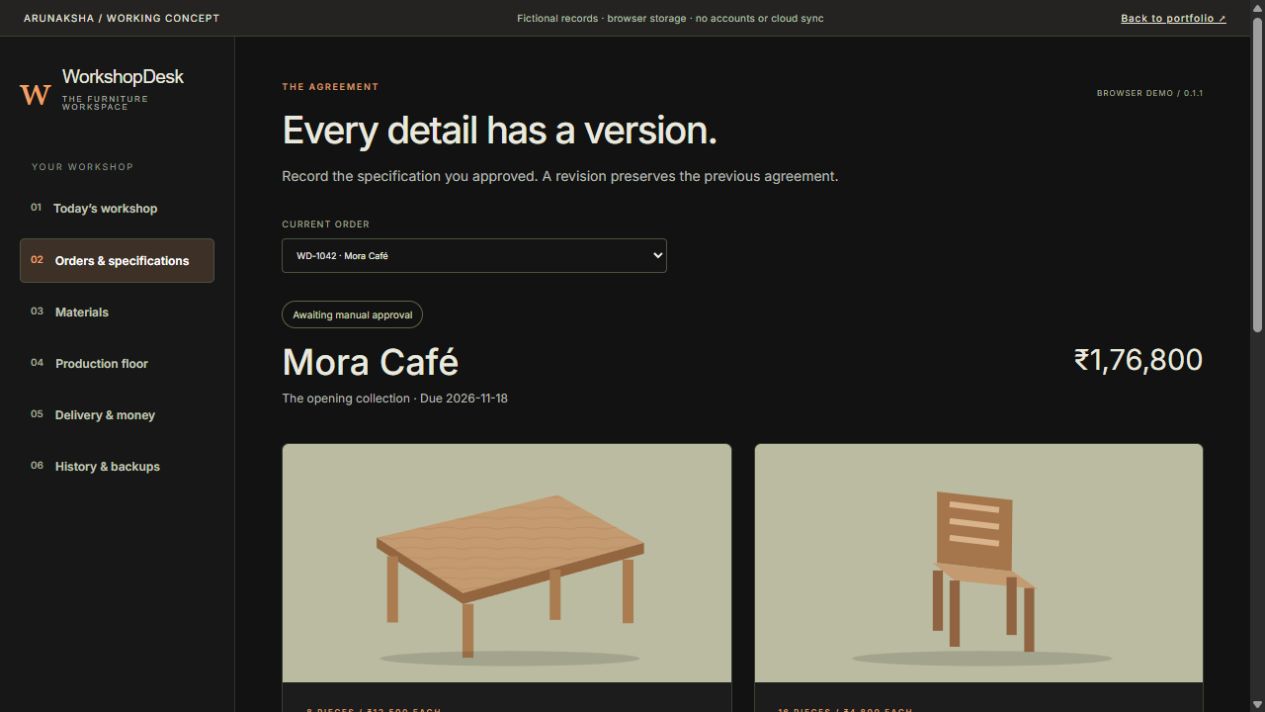
Agree what you are making before you start.
The demo begins with Mora Café and North House: two fixed sample orders. Inspect furniture quantities and specifications, save revisions and manually record approval before production.
An approved specification is a reference point. A later change needs a visible revision, rather than silently rewriting the instruction the workshop followed.
TRY THIS IN THE DEMO
- Open Orders & specifications and select Mora Café.
- Inspect quantities, finish and the current revision.
- Use the approval control to record a fictional approval.
Approval is entered locally by an operator. No customer is contacted and no real approval is collected.
Open WorkshopDesk02 / MATERIALS & RESERVATIONS
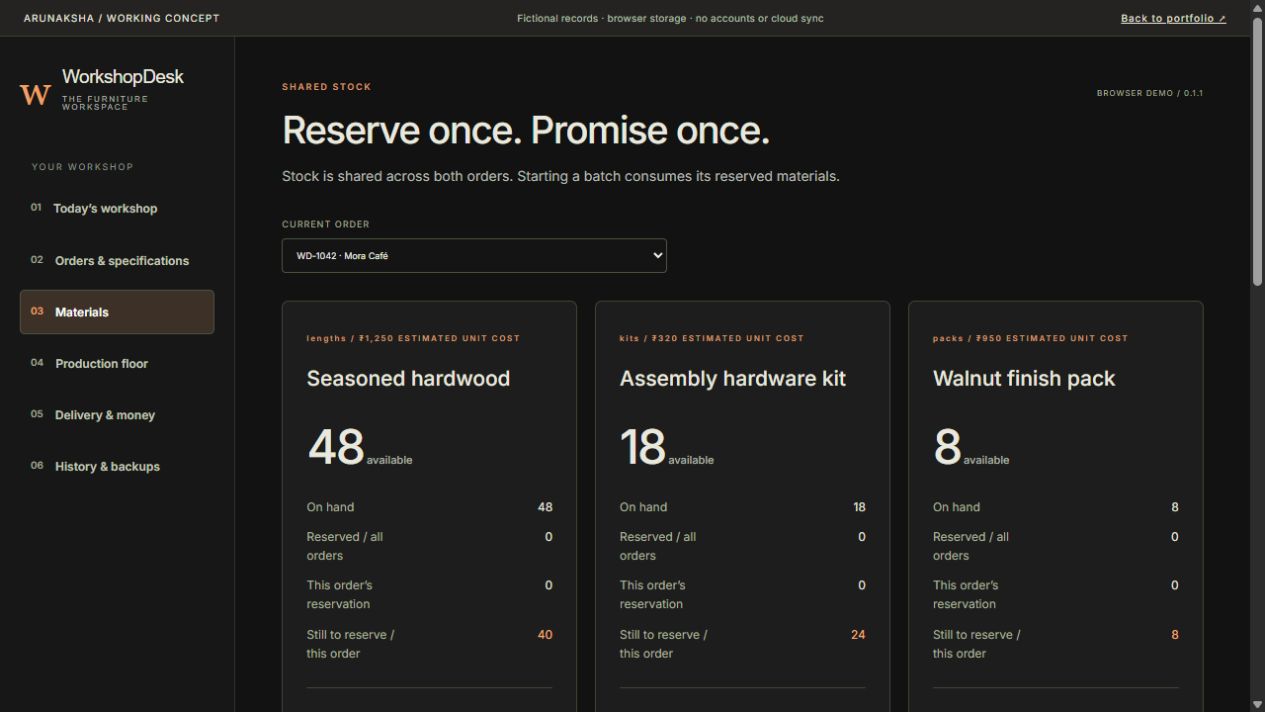
Available stock is not the same as promised stock.
Both orders draw from shared materials. The materials screen distinguishes stock, reservations and availability. Inspect shortages, record fictional receipts and reserve materials against an order.
A stock total without reservations can promise the same material twice. The reservation makes the commitment visible before a batch starts.
TRY THIS IN THE DEMO
- Open Materials and inspect the shortage for the selected order.
- Receive the fictional material needed to close the gap.
- Reserve materials, then check what remains available.
A second order must work with the remaining availability, not reuse stock already reserved.
Open WorkshopDesk03 / PRODUCTION FLOOR
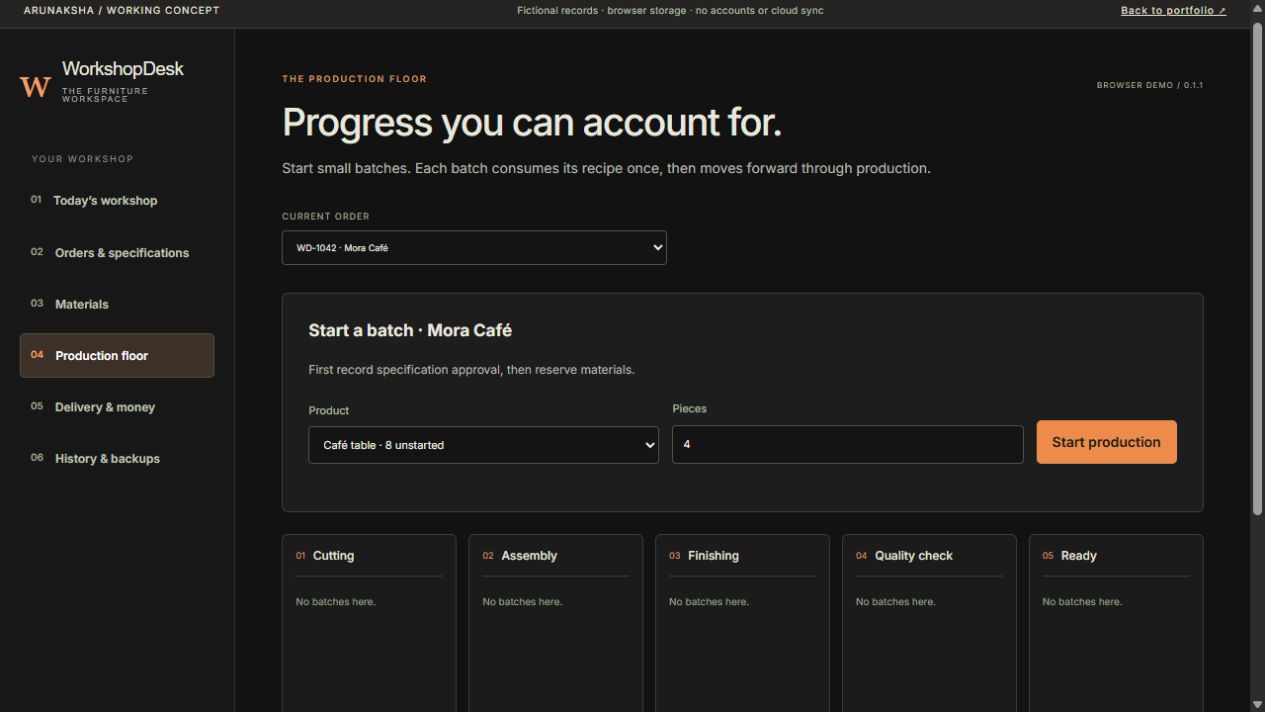
Track a batch, not a vague “in progress” label.
Start a batch against an approved, reserved order and move it through the production stages. Finished quantities become eligible for dispatch; unfinished pieces stay on the floor.
The workflow ties production to a specification and material allocation. A status label alone cannot tell you how many pieces can actually leave.
TRY THIS IN THE DEMO
- Open Production floor after approval and reservation.
- Start a sample batch with a valid quantity.
- Move the batch through the available production stages.
Try an invalid or excessive quantity: the workflow should explain why it cannot proceed.
Open WorkshopDesk04 / DELIVERY & MONEY
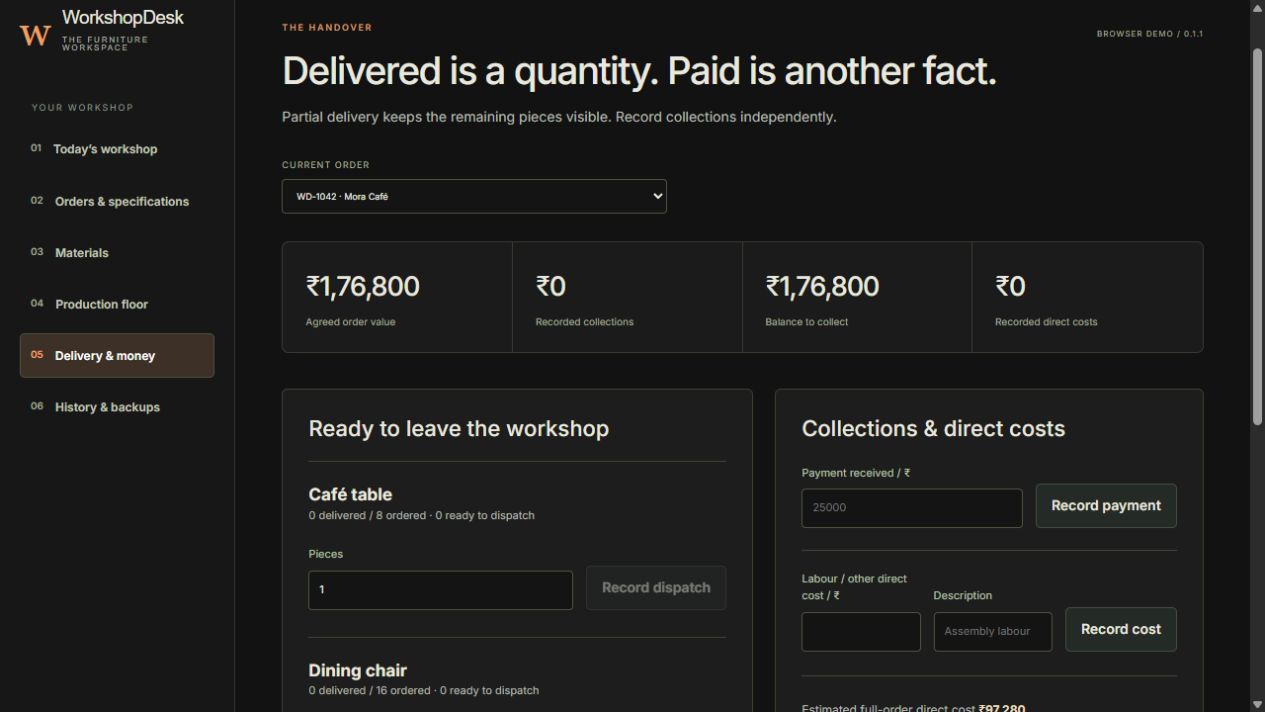
Delivered is a quantity. Paid is another fact.
Dispatch finished pieces in parts and keep the remaining quantity visible. Record collections and direct costs separately. A delivery action does not pretend a payment happened.
Ready, delivered and paid are separate facts. The owner needs to inspect all three to know what still needs attention.
TRY THIS IN THE DEMO
- Open Delivery & money after finishing a batch.
- Record a dispatch smaller than the finished quantity.
- Record a fictional payment separately and compare the balances.
Delivered quantity and outstanding collection should change only when their own action is recorded.
Open WorkshopDesk03 / THE DESIGN STORY
The interface follows
the business rule.
The starting point was the owner’s next decision: which record is reliable, what can happen now, and what still needs attention?
Make promises explicit
Approved specifications and reserved materials define what the workshop can act on.
Keep quantities accountable
A batch, a finished piece and a dispatched piece are distinct records.
Protect the local record
Conflicting saves are rejected; backups are validated and history can be inspected.
My role: define the workflow, design the interface and implement the demonstration. These are independent portfolio examples, not commissioned client results or measured business improvements.
04 / YOUR TURN
Follow one complete
business story.
Keep this guide open beside the demo. Use only invented values. The route below follows the dependency between records rather than asking you to click through every menu.
Launch WorkshopDesk- 01
Approve the Mora Café specification in Orders & specifications.
- 02
Resolve its material shortage and reserve stock.
- 03
Start a valid batch in Production floor.
- 04
Finish a batch, then dispatch only part of it.
- 05
Record a payment and inspect History & backups.
WHAT THIS EXAMPLE DOES — AND WHAT IT DOES NOT PROVE
A working demonstration.
A defined boundary.
This is a fixed two-order browser concept, not a full ERP or a client deployment. Recipes are manually defined; there is no CAD calculation, real customer approval, payment processing, shipment integration or tested Windows installer.
Changes stay in the browser profile. No account or shared cloud workspace is provided. Use fictional information only; do not enter customer data or passwords.
BEFORE YOU EXPLORE
The practical questions.
Can I change the sample records?
Yes. Use fictional information only. Changes persist in this browser profile and may be lost when browser data is cleared. Export a backup to retain the sample workspace.
Is this a Windows application I can download?
This link opens a browser demonstration. A Windows installer, device storage and replacement-device recovery require separate implementation and clean-device acceptance testing.
Does my project have to look or work like this?
No. These examples demonstrate interface design and connected business rules. Your fields, workflow, documents, rights, price and acceptance criteria are agreed for your project.
What if the workspace cannot open?
Use the application’s recovery guidance. Preserve or export the existing records before attempting a deliberate restore or reset. A browser workspace is not a separately stored backup.
YOUR BUSINESS / YOUR WORKFLOW
What would this need
to do for you?
The demonstration is the starting point for a conversation. Your process sets the fields, business rules, documents and recovery requirements. Scope, price, rights and support are agreed before development.